Try “Xiaomi 14”, “marble”, “Redmi Note 13” or “OS2.0”

POCO MIUI 12 Update List

Every official MIUI 12 build for POCO devices. MIUI was succeeded by HyperOS in late 2023 — check the HyperOS 2 and HyperOS 3 lists to see if your phone has a newer update.

15 builds 12 device variants Latest: Sep 9, 2022
DeviceVersionAndroidBranchReleased
POCO C31POCO C31India · angelicain_in_rf_globalV12.0.8.0.QCRINRF
MIUI 12Stable Beta
10.0Stable Beta
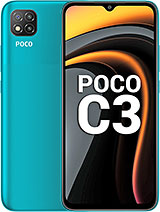
POCO C3POCO C3India · angelicain_in_globalV12.0.19.0.QCRINXM
MIUI 12Stable
10.0Stable
POCO C31POCO C31India · angelicain_in_rf_globalV12.0.1.0.QCRINRF
MIUI 12Stable Beta
10.0Stable Beta
POCO M2 ProPOCO M2 ProIndia · gram_in_globalV12.0.1.0.RJPINXM
MIUI 12Stable Beta
11.0Stable Beta
POCO X3POCO X3India · surya_in_globalV12.0.1.0.RJGINXM
MIUI 12Stable Beta
11.0Stable Beta
POCO X3 NFCPOCO X3 NFCEEA · surya_eea_globalV12.0.7.0.RJGEUXM
MIUI 12Stable Beta
11.0Stable Beta
POCO F1POCO F1Russia · beryllium_ru_globalV12.0.3.0.QEJRUXM
MIUI 12Stable
10.0Stable
POCO F1POCO F1Global · beryllium_globalV12.0.3.0.QEJMIXM
MIUI 12Stable
10.0Stable
POCO M3POCO M3Russia · citrus_ru_globalV12.0.2.0.QJFRUXM
MIUI 12Stable Beta
10.0Stable Beta
POCO X3 NFCPOCO X3 NFCIndonesia · surya_id_globalV12.0.5.0.QJGIDXM
MIUI 12Stable Beta
10.0Stable Beta
POCO X3 NFCPOCO X3 NFCGlobal · surya_globalV12.0.6.0.QJGMIXM
MIUI 12Stable Beta
10.0Stable Beta
POCO M3POCO M3EEA · citrus_eea_globalV12.0.1.0.QJFEUXM
MIUI 12Stable Beta
10.0Stable Beta
POCO F2 ProPOCO F2 ProTurkey · lmi_tr_globalV12.0.3.0.QJKTRXM
MIUI 12Stable Beta
10.0Stable Beta
POCO C3POCO C3India · angelicain_in_globalV12.0.2.0.QCRINXM
MIUI 12Stable Beta
10.0Stable Beta
POCO F1POCO F1Global · beryllium_globalV12.0.1.0.QEJMIXM
MIUI 12Stable Beta
10.0Stable Beta

HyperOS versions

Android versions

Brands

Frequently asked questions

Is MIUI 12 still being updated?
Most devices have moved from MIUI to HyperOS. Older devices may still receive security patches on MIUI — the newest build for each device is shown at the top of the table.
How do I install a MIUI 12 ROM?
Download the Recovery ROM and install it through Settings → About phone → System update → ⋮ → Choose update package. Fastboot ROMs require an unlocked bootloader and Mi Flash Tool.